
) provides access to property data from across the country through a user-friendly interface.https://consultapublica.car.gov.br/publico/imoveis/indexPersonal information, such as the owner's name and CPF (a Brazilian individual taxpayer registry identification), remains confidential.
Anyone with internet access can consult and even download data in Excel and
shapefiles with the georeferenced data of the registered properties in each municipality. Here is a detailed manual on how to download data from SICAR
[Download public CAR data in Shapefile (video below)]
Check out the module at the link:
WMS Link https://www.car.gov.br/publico/imoveis/index
WMS Link:
====> See How to connect to a WMS or WFS service: https://geoserver.car.gov.br/geoserver/sicar/wfs
Check here Data from a specific property
Recently, the CAR website enabled zooming in within municipalities and now allows the selection of properties to consult data directly from them.
To do this,
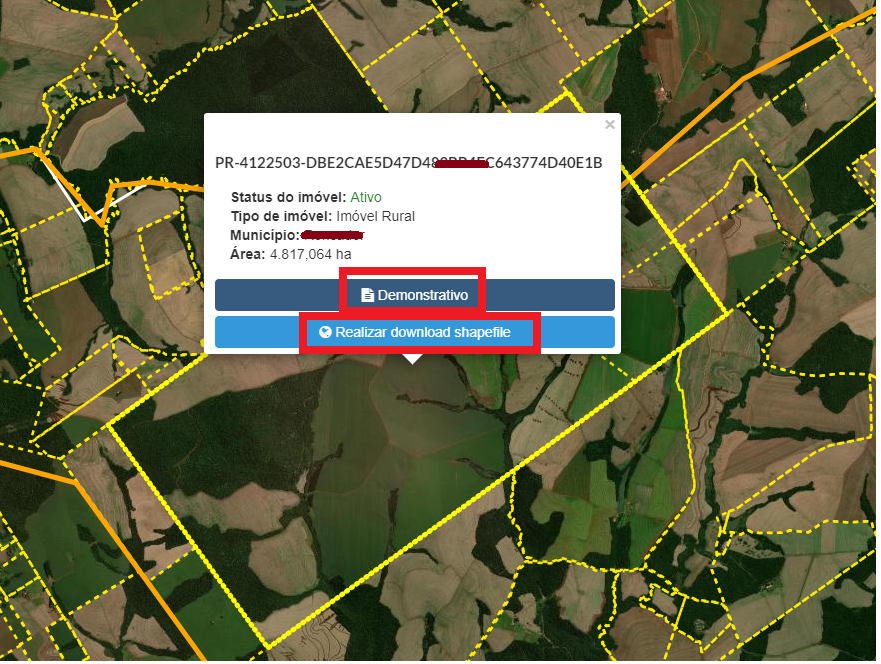
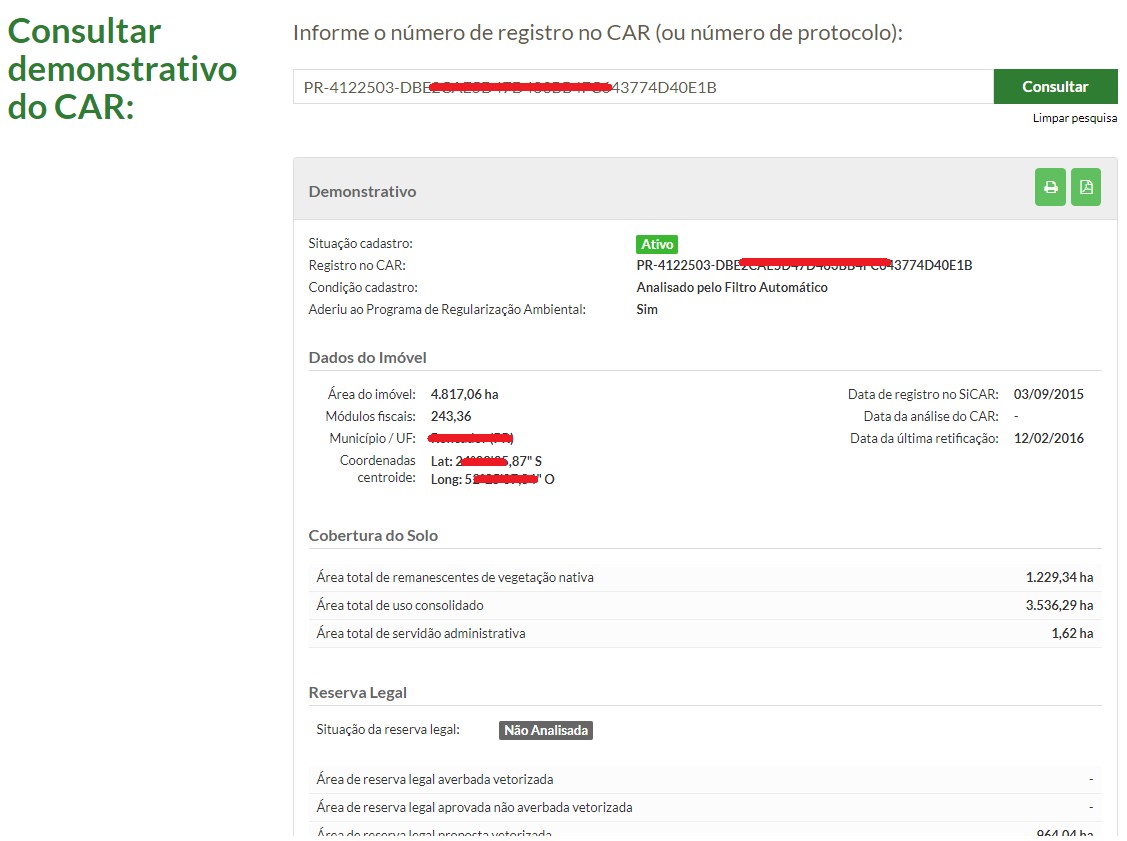
open the public consultation module, select the state, find the municipality, and click on it, then hover the mouse to zoom in on the desired farm or property. A box will appear showing the property's area, code, status, type, and two links: one to download the report containing the tabular data of the registry and a second to download the data in shapefile (use with moderation and responsibility).Now CAR data is available for direct consultation by property.
In case SICAR is offline, which happens frequently, download a copy archived by us:
RELATED TOPICS
The Forestry Engineer and the CAR