ArcGIS PRO introduced the long-awaited map series tool, similar to ArcMap’s Data Driven Pages , but with even more capabilities.Renamed “Map Series,” this tool allows you to generate a set of paginated maps as a PDF output file from a single layout while iterating over a set of map extents.
Extents are defined by attributes in a layer (shapefile or feature class). The layer that defines the extents is called the index layer. Any feature layer can serve as the index layer.
How to create
To begin, add a new map from the
- Insert>New Map menu and add your data. Add a new layout to your project from
- Insert>New Layout and choose the desired page size. In the
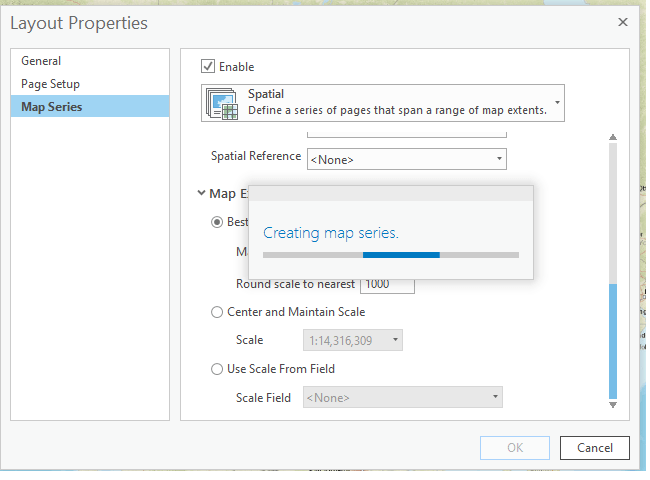
- Layout toolbar, click Map Series and choose Spatial The Properties dialog lets you choose the map series type and set options for the index layer, optional fields, map extent, automated scale, grouping, and more. Explore all available settings..

- Clicking OK will index and create the pages for all maps automatically.
- In Layout mode, the Insert menu shows all available tools you can add to your map, such as scale bars, north arrows, legends, and more. The most important are the
- Table Frame , which allows you to add dynamic tables based on map extent data, andDynamic Text>Map Series>Attribute , which enables an attribute field to changedynamically with the map extent . This is extremely useful for automating the creation of hundreds or thousands of PDF layouts.Exporting
To export multiple or all maps to PDF, go to the Share>Export menu and choose which pages to export and whether to save them as separate files or a single multi-page file.
- You can also export one or a few maps. In the layout content list, click the last icon to show the map series pages. There, right-click one or more maps and the menu will appear to open the map or export it to PDF.
- Start testing and automating map production in your organization today. You will save a lot of time by learning to use this powerful tool.
Watermarks on your map
You can add watermarks to your maps simply by adding ready-made ArcGIS Online layers. Just search for and add the layers from the links below to your ArcGIS PRO project.
DEPRECATED
- DRAFT
INTERNAL
LIMDIS
(also available in WGS84 PREVIEW)
PROTOTYPE
UNPUBLISHED
WORK IN PROGRESS
Want it in Portuguese or with other text? - See how to do it here See Also