Google Docs (now Google Sheets) Unfortunately, this tip currently works only at the country level.. You don't need much GIS knowledge or software for this. Also, it takes very little time to do.
The first thing you need to do is put the information into a Google Sheets spreadsheet. The structure is simple: two columns are required. The first one holds the geographic reference and the second contains the values to display. This process is done through geocoding (countries only or state level in the USA).
- Select the data range and go to the Insert>Chart menu.
- A bar chart, which is the default, will be shown.
- On the right side, a chart editor will appear. Choose Geo Chart or Map as the chart type from the available list. There are also more options, for example focusing the map on a continent (explore all of them).
- The result will look like the figure below.
Once all design settings are complete, use the map menu at the top right (three dots) to save it as an image or publish the chart to share the link or embed it on a web page.
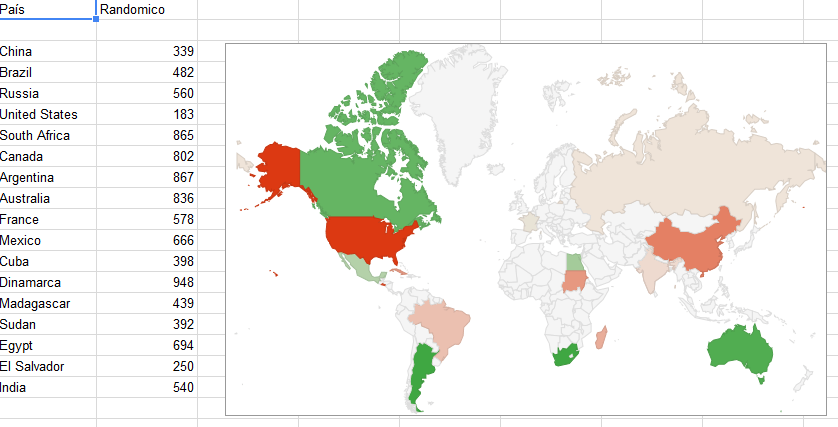
Inspired by geogeek.xyz
Have questions or did it not work for you? Comment below and we will help!
RELATED TOPICS
Google Earth fully in the browser
- Google notifies you when new images are published in Google Earth in your region!
- Did you like it? Share