You're working quietly on your ArcGIS project when you launch a tool and boom...ArcGIS has encountered a problem and will close. You may lose all unsaved data! Most of the time, of course, you forgot to save your project earlier:
What to do?
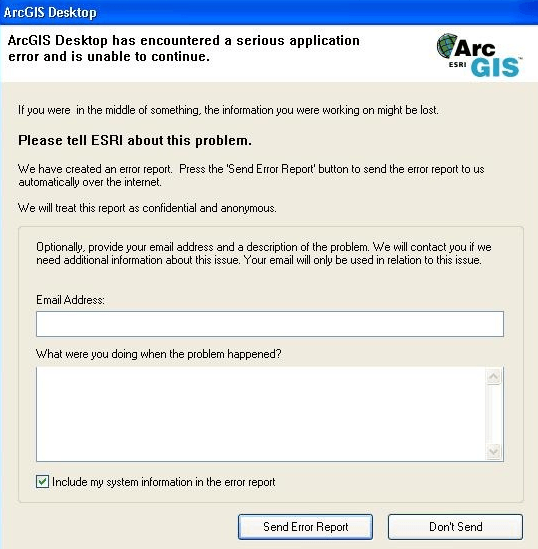
Good news, however, was recently announced by ESRI. The bug reporting screen (Image 1) for ESRI has been improved and now, as of ArcGIS PRO 2.3 and ArcGIS 10.6.1, ALL ERRORS reported to ESRI will be analyzed. [It goes without saying that this does not apply if your software is pirated]
As important as clicking “Send Error Report” is include your email in the E-mail Address field so that ESRI's error resolution team can contact you to suggest installing patches (error correction packages) or suggesting some other possible solution, or for them to develop solutions for new errors found.
The Error Report
When ArcMap or ArcGIS Pro crashes, a dump (.dmp) file is created that contains information about the code that caused the crash. This .dmp is a big part of the bug report, but there are other very important parts you can include, like your email address and a description of what you were trying to do when the problem happened (try describing it in English to help our developer friends)
It works!
PS: ForestGIS reported a crash to ESRI in ArcGIS 10.6.1 and they got back via email (from the ESRI Error Report Outreach group) instructing to install it is patch that fixed the problem!
So the next time this unwelcome issue shows up right when you're working on your project, don't ignore it. It can help you receive the solution you need so this doesn't happen again.